ClientMaps: A Practical Tool for Managing Your Field Maps and Client Visits
When you're working in the field, seeing your clients on a map makes a big difference. Spreadsheets and static lists only tell part of the story—location, sequence, and coverage all matter when planning visits or managing territories.
ClientMaps provides a clean, reliable solution for creating and managing your own field maps. Whether you're in outside sales, account management, or any role that requires visiting clients on-site, ClientMaps helps you stay organized and work more efficiently.
What Are Field Maps—and Why They Matter?
Field maps help you visualize who you're seeing, where they're located, and how those visits fit into your day or week. They’re especially useful for:
- Tracking which clients you've visited in an area
- Planning efficient routes that minimize driving time
- Identifying gaps or overlaps in your visit coverage
- Understanding your client distribution across territories
ClientMaps brings all of this into one focused tool, without the need for GIS training or CRM bloat.
What You Can Do with ClientMaps
🗺️ Build and View Client Maps Easily
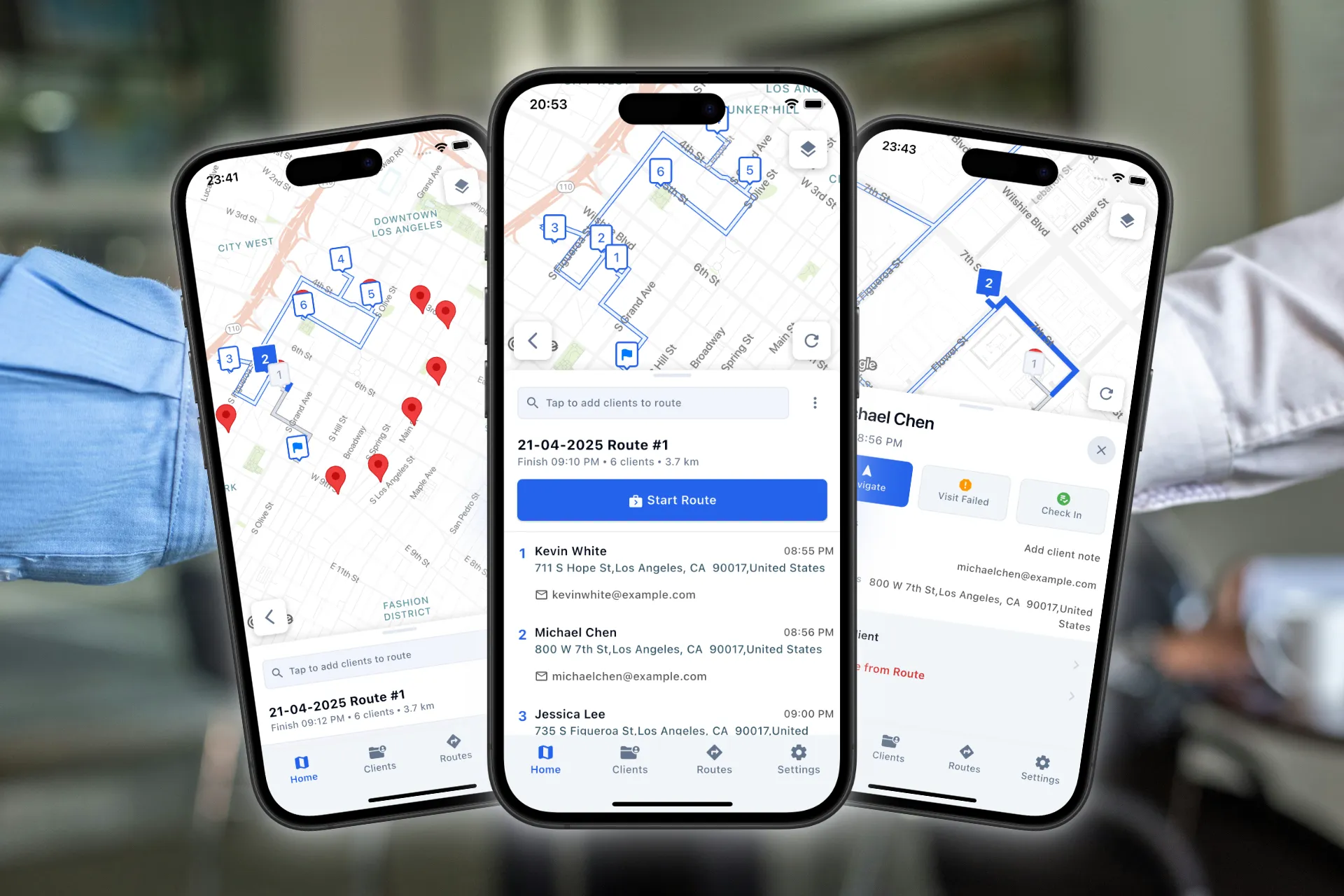
You can add client addresses manually, paste them in bulk, or import from a spreadsheet. Each client is shown as a pin on your personal field map. You can tag them by status, assign colors, and filter by type—helpful for account segmentation.
📍 Plan Routes Based on Map Context
Once your clients are visualized, building a route becomes intuitive. Simply select your stops and let ClientMaps generate an optimized sequence—or choose your own order with manual control.
This lets you respond to real-world conditions while still working from a well-structured plan.
📊 Track Progress Visually
As you move through your day, you can mark visits as completed, skipped, or rescheduled. This provides a visual record of your day and helps with follow-up and accountability later.
✅ Keep It Simple
ClientMaps is purpose-built for everyday use. It doesn’t require setup from IT or integration with complex platforms. You can start mapping clients and planning visits in minutes.
It’s particularly well-suited for individuals or teams who value clarity and flexibility over complexity.
Try ClientMaps for Your Field Maps and Planning
ClientMaps is available on mobile platforms and comes with a 14-day free trial.
If you're looking for a fast, visual, and practical way to manage your field visits, try building your own field maps with ClientMaps.
Note: “Field maps” refers to visual mapping of client locations in real-world contexts. This article is not affiliated with Esri or ArcGIS Field Maps.